
Pooled App overview
Overview of the Pooled App, which combines several countries' saved datasets into one file for regional and multi-country comparison, and when to use it.
Put several countries side by side
Load the datasets each country saved in the RMNCAH or Vaxx app, combine them into one pooled file, then explore, compare and export the tables. Pooled starts where the country apps stop: it does not replace them.
Pages
Produce and organise each country's saved .rds file.
A step-by-step walkthrough, the output and common errors.
CSV, Excel, zip and pooled files, and the chat assistant.
The method behind the indicators, denominators and score.
Before you start: finish each country's analysis in the RMNCAH or Vaxx app, at least to Denominator Selection, so that its saved dataset is adjusted. See Preparing caches.
How it works
flowchart TD
  A["Each country: RMNCAH or Vaxx app"] --> B["Saved datasets (.rds), one per country"]
  B --> C["Build pooled file: Choose datasets"]
  C --> D["Loading files"]
  D --> E["Review results"]
  E -- "warning or failure" --> F["Fix the country's dataset in its app"]:::warn
  F --> B
  E --> G["File created: pooled .rds"]
  G --> H["Explore pooled data"]
  H --> I["CSV, Excel or a smaller pooled file"]:::done
When to use Pooled
| You want to... | Use |
|---|---|
| Check, adjust and analyse one country's facility data | RMNCAH or Vaxx App |
| Put several countries side by side (coverage, sources, trends) | Pooled App |
| Get one table containing all countries for a regional report | Pooled App |
| Extract only some countries, years or columns for another tool | Pooled App |
Requirements
- A set of
.rdsfiles, one per country, saved by the RMNCAH or Vaxx App. See Preparing caches. - All files should belong to the same data domain: RMNCAH or Immunization (VAXX). You choose the domain once, before loading.
- Enough memory: the app accepts up to 2 GB of selected files at a time, and reads them one after another.
Pooled keeps only the analysis tables (coverage, data quality, denominators, surveys and so on). The raw facility-by-month data is left out, which keeps the pooled file small.
How the app is organised
The sidebar has one section, Pooling, with two parts.
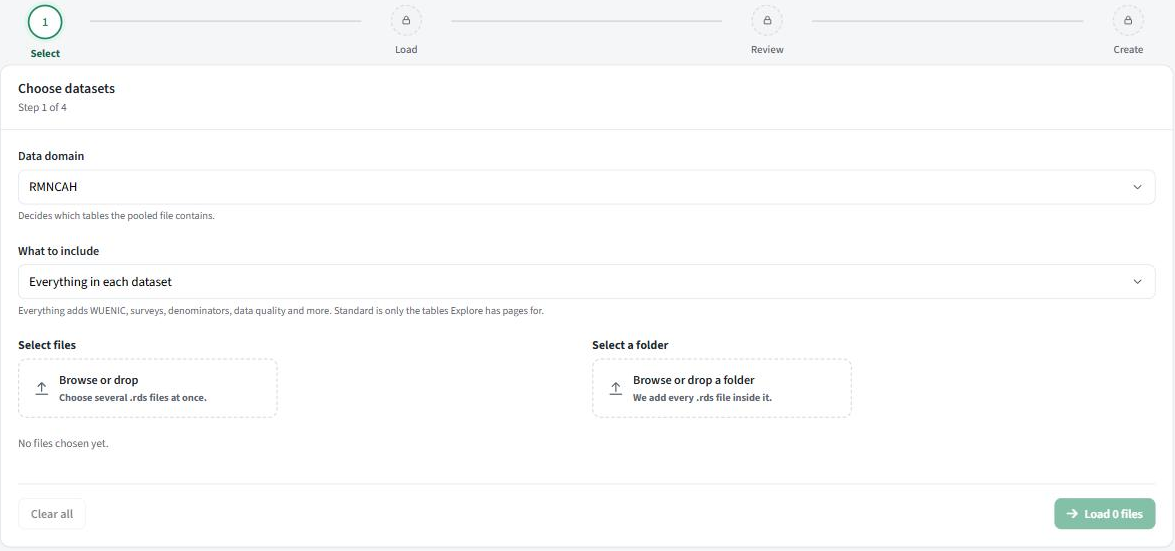
Build pooled file is a four-step wizard:
- Choose datasets: the domain, what to include, and the files.
- Loading files: each file is read and reported as loaded, loaded with a warning, or failed.
- Review results: decide what to do about warnings and failures.
- File created: download the pooled
.rdsor go straight to exploring it.
Explore pooled data opens a pooled file and offers these pages:
| Page | What it shows |
|---|---|
| Open a file | Use the file you just built, or upload one made earlier |
| Parameters | The settings and survey values each country brings |
| Overall score | The data quality score of each country |
| Indicator coverage | Coverage by indicator: national, Admin 1, District |
| Coverage | Coverage with each country's chosen denominators |
| Mortality | Facility maternal and newborn deaths (RMNCAH domain) |
| Service utilization | Outpatient and inpatient use, children under 5 (RMNCAH domain) |
| Compare countries | Continuum of care, source triangulation, level and change, trends |
| All datasets | Every table in the file, including those without their own page |
| Extract a piece | Pull chosen datasets, countries, years and columns into a new file |
Common pitfalls
- Mixing domains. Pool RMNCAH datasets together and Vaxx datasets together; the domain is chosen once, before loading.
- Unadjusted datasets. A country that was not adjusted loads with a warning, and its coverage is not comparable with the others.
- Two files for one country. Only the newer one is kept; remove old versions from the folder.
- Not keeping the pooled file. It is built for the session only: click Download .rds to keep it.